 iScan
iScanPoint. Read. Done.
A full-screen camera viewfinder, tap-to-focus and flashlight controls. Or scan a QR code or barcode from a saved image.
On-device recognitionYour everyday QR & barcode toolkit. Read a code, make one of your own, and find it again when you need it.
Closed test · Access requires an eligible tester account.
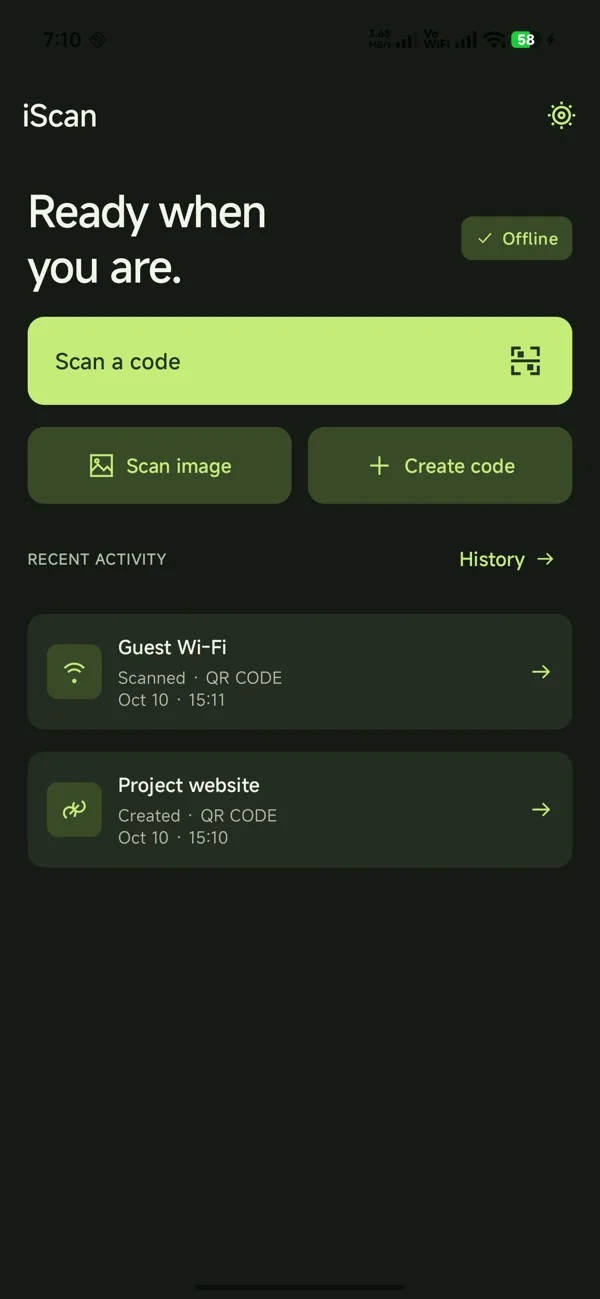
ONE TOOLKIT. EVERYDAY USE.
From a guest Wi-Fi network to a business card, iScan turns encoded content into something useful.
A full-screen camera viewfinder, tap-to-focus and flashlight controls. Or scan a QR code or barcode from a saved image.
On-device recognitionShare links, Wi-Fi, contacts, UPI details and more. Choose readable colors, preview your code, then save or share a PNG.
17 QR content typesScanned and generated codes live in local history. Search, filter, change the order, inspect details or delete what you no longer need.
Stored on your deviceREAL ANDROID SCREENS
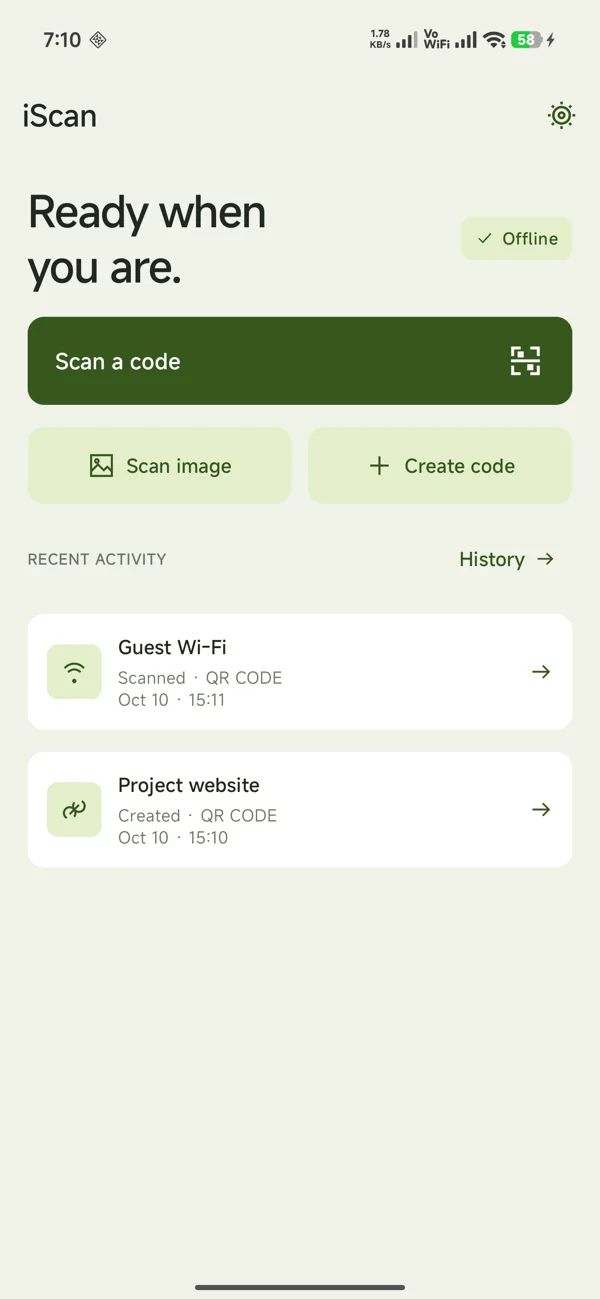
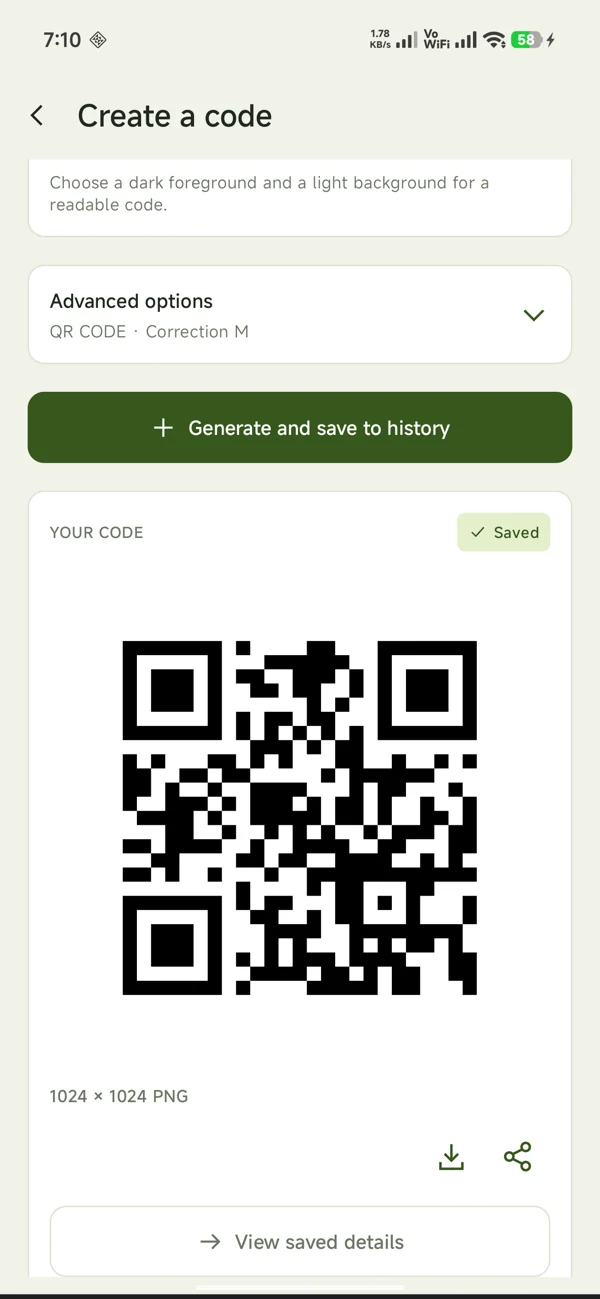
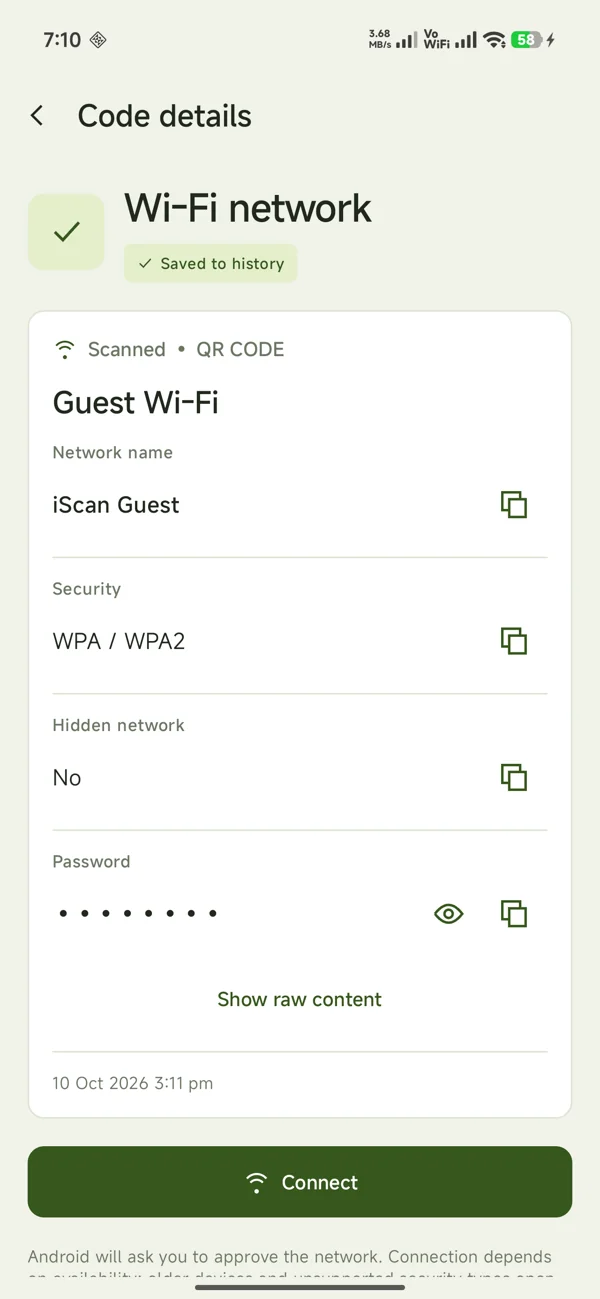
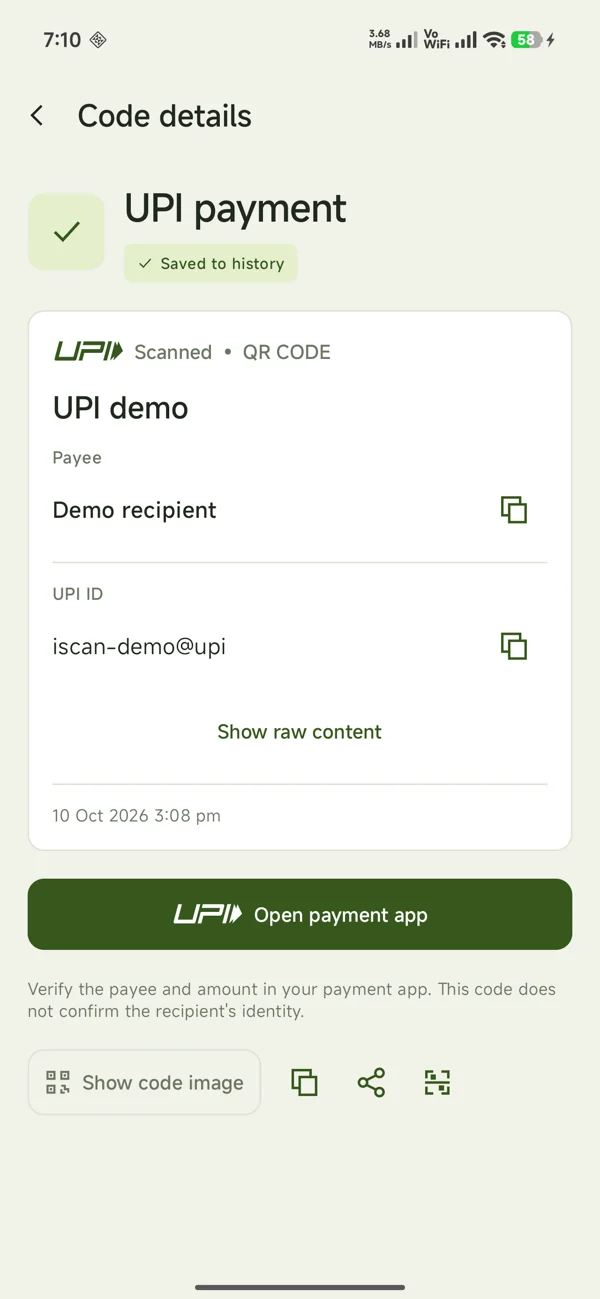
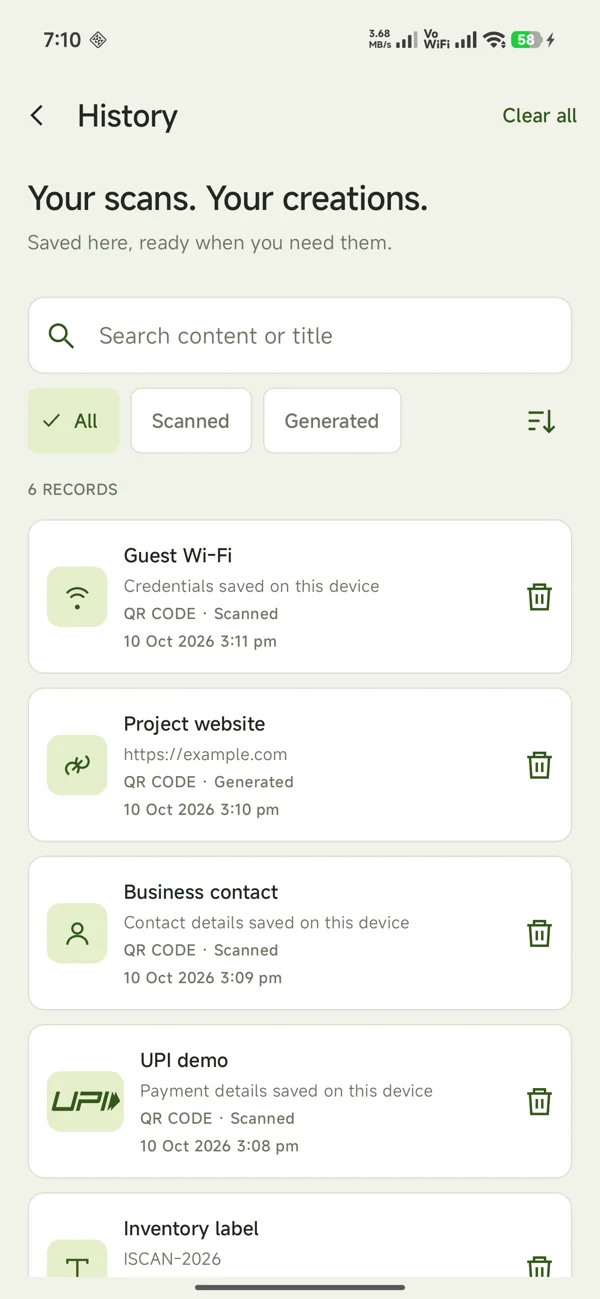
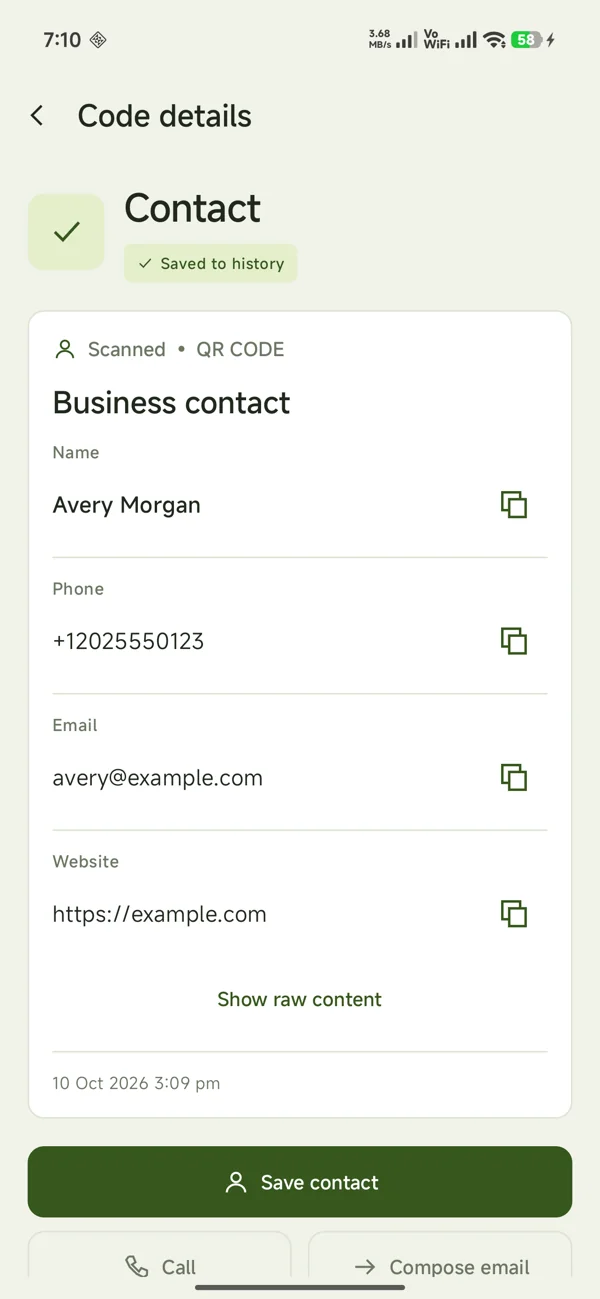
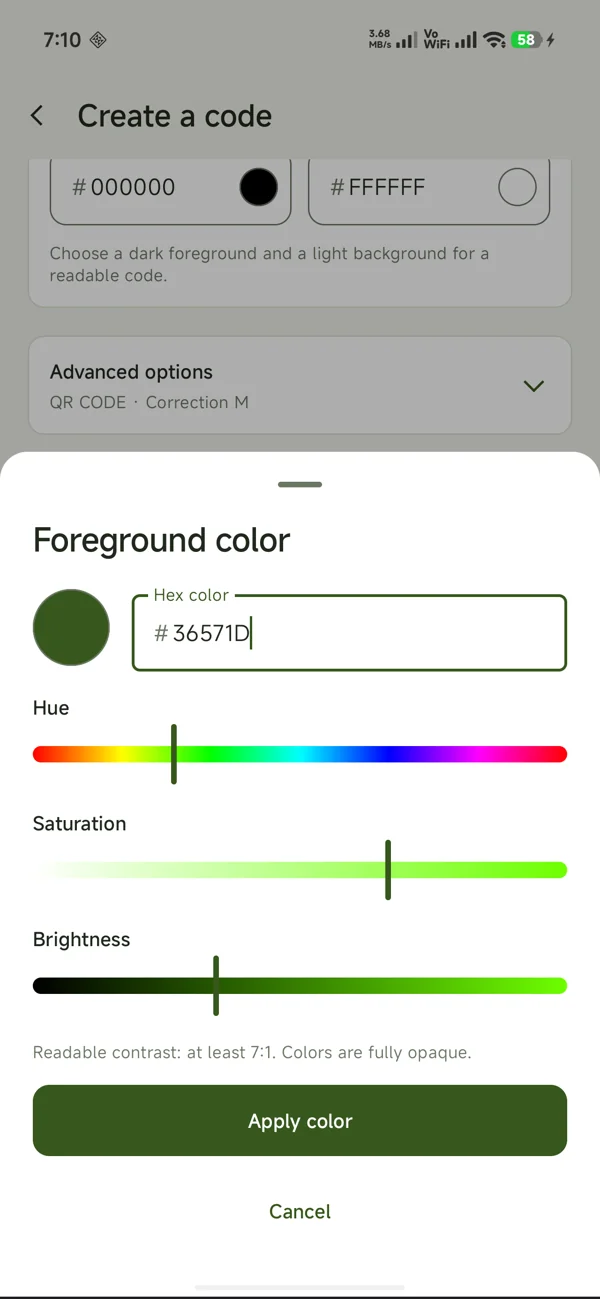
Captured on a physical Android device. All pictured records are demo data.
READ THE RESULT. CHOOSE THE ACTION.
Wi-Fi credentials become a clear network card. Phone numbers open the dialer. Business cards open the contact editor. External content opens after you choose an action.
UPI codes hand off to a compatible payment app. iScan never processes or approves a payment. Check the recipient and amount before paying.
A few things to knowPlus Code 128, Code 39, EAN-13, EAN-8, UPC-A and ITF for supported text or numeric inputs.
LOCAL FIRST, EVERY DAY
Scanning, generation and history work offline. No login, ads, analytics or cloud sync. The Android app requests no internet permission.
History is saved by default and may contain sensitive content. You can delete individual records or clear it. Websites and third-party actions may use a connection.
CLEAR ANSWERS
Scanning, generation and local history work offline, including first-use barcode recognition. Opening websites or third-party apps may require connectivity.
Yes. Choose Scan image to select a saved picture using Android's image picker. iScan recognizes supported codes in the selected image.
No. iScan reads supported UPI codes and recognized UPI IDs, then lets you open a compatible payment app for review. Payment approval happens in that app.
History is stored locally on your Android device. Scans and generated codes are saved by default and can be searched, filtered or deleted.
iScan requires Android 8.0 or later. Camera capabilities and external actions vary with your Android version, device and installed apps.
Scanning supports QR Code, Aztec, Data Matrix, PDF417, Code 128, Code 39, Code 93, EAN-13, EAN-8, UPC-A, UPC-E, ITF and Codabar. Generation supports QR Code, Code 128, Code 39, EAN-13, EAN-8, UPC-A and ITF with valid inputs.
iScan is available through Google Play closed testing. Access requires an eligible tester account; if the listing is unavailable, check that you are signed in with the account invited to the test. A public production release is not announced.
ISCAN FOR ANDROID
Google Play closed test · Android 8.0+
Access requires an eligible tester account.